Getting paid to shop has become one of the most interesting ways to earn money from home or even while going out for daily errands, because many companies now rely on real customer feedback to improve their products, services, and store experience. Instead of only spending money while shopping, there are opportunities where your shopping habits can actually bring you income in return. This includes testing products, reviewing items, completing small store tasks, and sharing honest opinions about your experience. Many platforms connect shoppers with brands that want real insights from everyday buyers, making it possible for regular people to earn without needing advanced skills or heavy investment. This article will help you explore different ways to get paid to shop, allowing you to turn simple buying activities into a practical income opportunity.

1. Mystery Shopping Jobs

Mystery shopping is one of the most common ways to get paid while shopping, where companies hire people to visit stores anonymously and evaluate their service experience. You may be asked to check product availability, staff behavior, cleanliness, or checkout process, then report your findings after completing the visit. Everything is usually done through simple instructions provided by the company, and you do not need special qualifications to start.
Most tasks are flexible, allowing you to choose assignments based on your schedule. This makes it suitable for students, part-time earners, or anyone looking for extra income while doing regular shopping activities in physical or online stores.
2. Cashback Shopping Apps
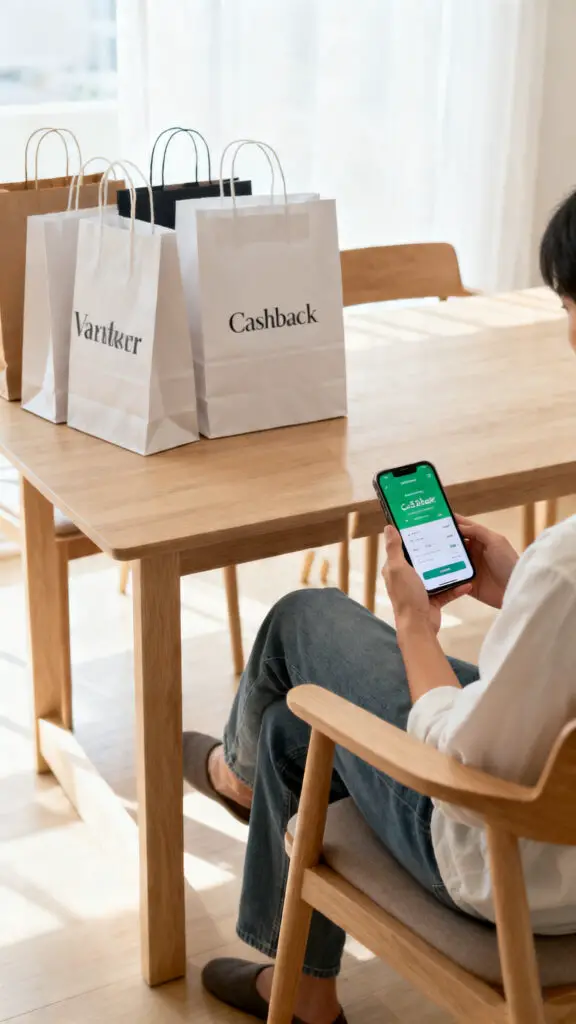
Cashback apps allow you to earn money back on purchases you already make, turning regular shopping into a small income stream over time. These apps partner with different stores and brands, and when you buy through their links or scan receipts, you receive a percentage of your spending back. The process is simple because you only need to shop normally and upload proof of purchase when required.
Over time, these small rewards can add up and help you save money while also earning extra cash. This option is especially useful for everyday groceries, clothing, or online purchases, making it a practical choice for consistent shoppers.
3. Product Testing Assignments
Product testing involves receiving items from companies, using them in real life, and sharing your honest opinion afterward. These products can include household items, beauty products, or small gadgets that brands want feedback on before full release. In most cases, you are allowed to keep the product while also getting paid for your review.
The process usually requires filling out simple surveys or writing short feedback reports after using the item for a few days. This makes it a useful option for people who enjoy trying new things and want to earn without complex tasks or long working hours.
4. Receipt Scanning Rewards
Receipt scanning apps give you money or points in exchange for uploading pictures of your shopping receipts. After buying groceries or other items, you simply take a photo of your receipt and submit it through the app. These receipts help companies track buying patterns and improve their marketing strategies, which is why they reward users for sharing them.
Although the earnings from each receipt are small, consistent use can lead to steady rewards over time. This method is easy to follow and does not require extra effort beyond your normal shopping routine, making it a simple way to earn passively.
5. Online Shopping Review Tasks
Some platforms pay users to review products they buy online by sharing detailed feedback about quality, usability, and overall experience. After purchasing an item, you may be asked to write a short review or rate the product on specific criteria. These reviews help other customers make better decisions while also helping companies improve their offerings.
The process is usually flexible and can be done from home without strict schedules. This makes it suitable for people who already shop online frequently and want to turn their opinions into a small income source while continuing their regular buying habits.
6. Store Evaluation Visits
Store evaluation jobs involve visiting retail locations and analyzing how well they meet customer expectations, including staff behavior, product display, and service speed. Companies use this feedback to improve customer experience and ensure better performance across their stores. You are usually given specific tasks to observe during your visit, followed by a report submission afterward.
The work is simple and does not require professional training, making it accessible for many people. Since visits are often short and flexible, it can be done alongside daily routines, helping you earn money while completing normal shopping trips.
7. Affiliate Shopping Links
Affiliate shopping allows you to earn money by recommending products you already buy or trust through special referral links. When someone makes a purchase using your link, you receive a small commission from the sale. This method does not require you to show your face or actively sell products in a traditional way, instead, you can share links through blogs, social media pages, or messaging platforms.
Over time, as more people use your recommendations, your earnings can grow, making it a useful option for people who enjoy sharing product suggestions with others.
8. Cashback Credit Card Rewards
Some credit cards offer cashback rewards every time you shop, giving you a percentage of your spending back as cash or points. This means that every purchase you make, whether online or in-store, can contribute to small earnings over time.
The process is automatic, so you do not need to complete extra tasks apart from using your card for payments. These rewards can later be redeemed or used to reduce future expenses. While it may seem small per transaction, consistent usage can turn everyday shopping into a stable reward system, making it a practical financial benefit for regular shoppers.
9. Grocery Shopping Apps
Certain grocery apps reward users for buying everyday household items by offering discounts, cashback, or loyalty points. These apps often partner with supermarkets and brands to encourage users to shop through their platforms. You can simply select items, make purchases, and earn rewards based on your spending.
Some apps also provide bonus rewards for buying specific products or completing weekly tasks. This method is especially helpful for families or individuals who shop frequently for groceries, as it turns regular spending into a small but consistent earning opportunity over time.
10. Brand Ambassador Shopping Programs
Brand ambassador programs sometimes involve shopping for specific products and promoting them through reviews or personal recommendations. Instead of traditional advertising, companies rely on real users to share authentic experiences and you may receive free products along with payment for your participation.
Tasks often include posting feedback, sharing usage results, or completing small promotional activities. This type of work is usually flexible and does not require public appearances or face showing, making it suitable for people who already enjoy trying new products and want to turn that habit into a small earning opportunity.
11. Refund and Rebate Programs
Refund and rebate programs allow shoppers to get part of their money back after buying specific products that are included in brand promotions or special offers designed to encourage product trials and customer engagement. After purchasing an eligible item, you simply submit proof of purchase through an app or website, and once it is verified, a partial refund or cashback reward is sent to you.
These programs are often used by companies to collect feedback and improve their products while also attracting more buyers. The process is simple and usually involves uploading receipts or entering basic purchase details, making it easy for regular shoppers. While it does not replace full income, it helps reduce overall shopping expenses and adds small financial returns over time.
12. Shopping Survey Rewards
Shopping survey rewards involve earning small amounts of money or points by sharing your opinions about products and shopping experiences after making purchases online or in stores. Companies use these surveys to understand customer preferences, buying habits, and satisfaction levels so they can improve product quality and overall service. After shopping, you may receive short questionnaires asking what you bought, how you used it, and how satisfied you were with the product.
Each completed survey gives small rewards, but consistent participation can build noticeable earnings over time. The process is flexible and can be done from home, making it a simple option for people who already shop regularly and want to earn extra income by simply giving honest feedback.
Conclusion
Getting paid to shop is no longer just a rare opportunity because many companies now depend on real customer activity to improve their products and services. From mystery shopping and cashback apps to affiliate links and product testing, there are several ways to turn normal shopping habits into income-generating activities. While each method may start with small earnings, consistency and regular participation can gradually build a meaningful side income over time. Most of these options are flexible, simple, and do not require advanced skills, making them accessible for almost anyone. By choosing the right combination of these methods, shopping can slowly shift from just spending money to also earning it in return.