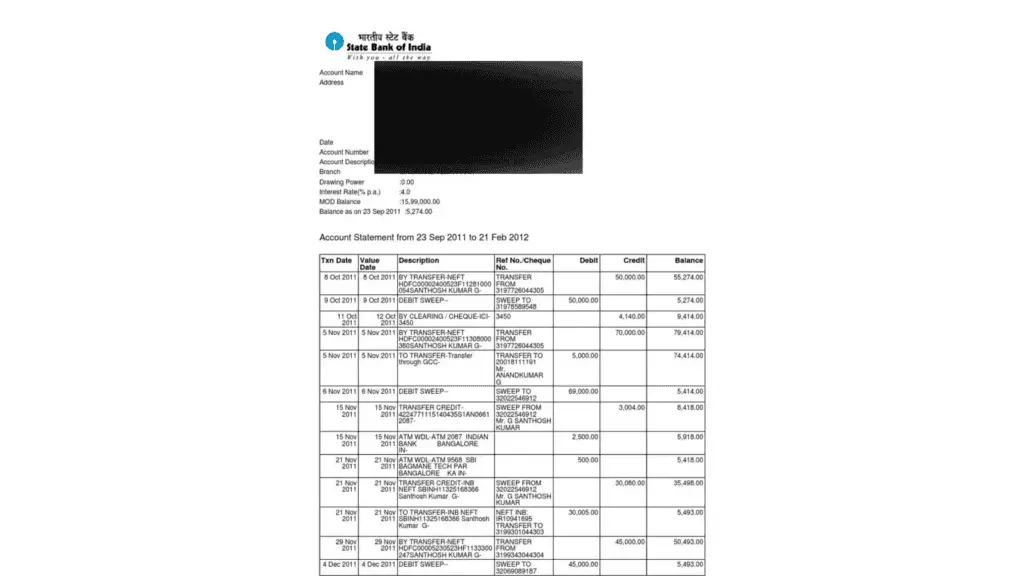
Like all other banks, SBI bank statements are protected by a set of unique alphanumeric characters that you require to open a statement. The password combination to open the statement could be your mobile number and date of birth or customer Identification number and date of birth.
Depending on your relationship with SBI bank, you receive a PDF statement on the email registered with the bank every month for your account, Yono, or credit cards. Here’s when you require a password to open the statement and have a glance at your account credits and debits.
In this SBI statement guide, you will find the correct steps to open the SBI account statement password, Yono statement password, and credit card statement.
Why is the SBI Statement Password Protected?
Like many other leading financial institutions, the State Bank of India (SBI) prioritizes the security of its client’s sensitive information.
Financial matters are paramount, and ensuring high-end security is crucial to prevent data leakage and protect customers from scams and fraud.
Therefore, the State Bank Of India (SBI) uses advanced security measures, including password protection, to safeguard the confidentiality of account information.
One of the primary reasons why SBI statements are password protected is to establish a robust defense system against unauthorized access and potential data breaches.
SBI Statement Password protection acts as an additional security layer, ensuring only authorized individuals with the correct credentials can view the statement’s contents.
This practice aligns with the industry’s best online and mobile banking security practices.
What Details Does SBI Bank Statements Include?
The sensitive information in bank statements includes details such as account number, CIF (Customer Identification) number, account name, branch, and transaction history, necessitating extra precautions.
Without password protection, there would be a higher risk of unauthorized individuals gaining access to these details, leading to fraudulent activities or unauthorized transactions.
How To Open SBI Account Statement Password?
If you have downloaded your SBI account statement through the internet or mobile banking, the password to open the pdf statement is your 11-digit SBI account number without the prefix 0.
However, if you want to open an SBI account e-statement that you received in your mail, here’s how you can open that.
- Download the attached statement from your mail.
- Open the downloaded PDF file.
- Enter the last five digits of your registered mobile number with the SBI and date of birth (DOB) in DDMMYY format when prompted to enter the password.

Quick Tip - If your mobile number is XXXXX95827 and your DOB is 27th December 1991, the password to open the statement will be 95827271291.
How Do You Open the SBI Yono Statement PDF Password?
If you have received the SBI Yono Statement on your registered email, the password to open the SBI statement will be your Date of Birth, followed by the symbol @, followed by the last four digits of your registered mobile number with the SBI bank.
For example, if your DOB is 12.10.1984 and your mobile number is XXXXXX5467, the statement’s password will be 1210@5467.
Examples of Yono SBI Email Statement Password Formats:
| Date of Birth | Mobile Number | Password Format |
| 03/03/2008 | XXXXXX8567 | 0303@8567 |
| 15/12/1987 | XXXXXX9285 | 1512@9285 |
| 22/12/2024 | XXXXXX1879 | 2212@1879 |
Here are the steps to open the password-protected SBI Yono statement:
- Download the statement from the mail or double-click on the statement to open it.
- Now, you will see a pop-up with a message showing “This file is protected” and a box to password box.
- Enter the password in the box and tap on Open.
- Now, your SBI YONO statement will open.
How Do You Open the SBI Credit Card Statement Password?
The SBI credit card statement password is your 16-digit primary credit card number.
To open the SBI credit card statement password, follow the below steps:
- Download the attached credit card statement you received on your registered email.
- Open the PDF file.
- Enter your “16-digit SBI credit card number” in the password box when asked to enter the password.
- Click/Tap on ‘Open’.
- Your SBI credit card statement will open in a fraction of a second.
How Do You Remove the Password From the State Bank Statement PDF?
Removing the SBI statement password can lead to data exposure and leaks. But, if you are an accountant and need to open the same or different account statements while filing tax return files and computing balance sheets, a statement without passwords could save much of your time.
Here’s how you can remove the statement password:
- Open the PDF statement on your smartphone, tablet, or laptop. (Double-click on the pdf file or right-click and choose ‘open with’ followed by ‘Google Chrome.’
- The pdf file will now ask for a password to open the statement.
- Enter your statement password.
- Hit the buttons “Ctrl + P” to open print settings.
- Select the Destination and choose ‘Save as PDF’.
- Tap/Click on ‘Save’.
Open the saved SBI bank statement and check if the password is removed.